Paleta
Powerful color selection tool for designers, developers, and creative professionals on macOS. Extract colors from images, sample from your screen, and build custom color palettes with precision. All processing happens locally and offline—your data never leaves your device.
Key Features
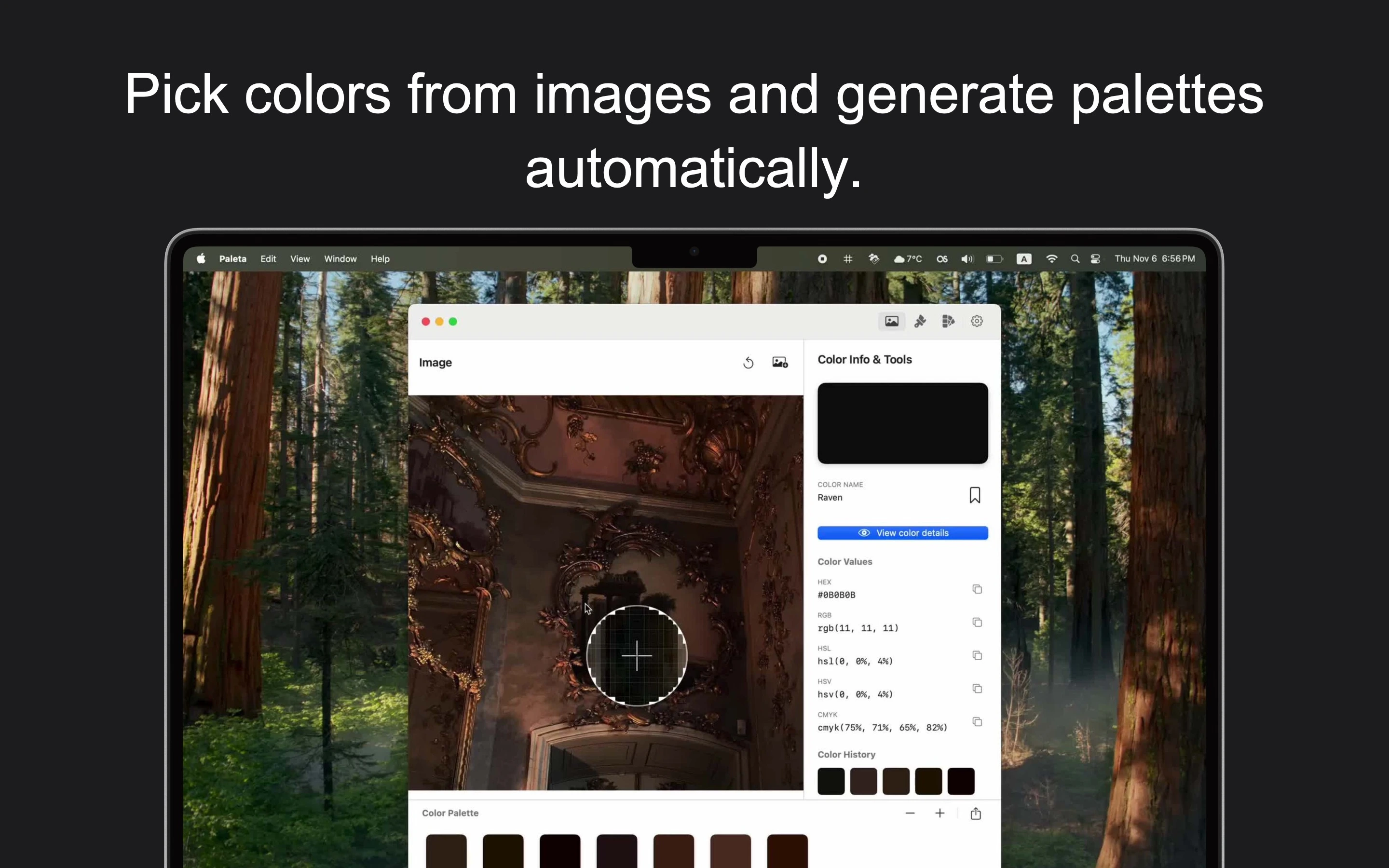
Extract Colors from Images
Transform Images into Palettes
- ✓ Drag and drop or select files
- ✓ Supports PNG, JPEG, GIF, BMP, TIFF, HEIC, WebP, and RAW
- ✓ Pixel-perfect color picking
- ✓ Magnifier tool for precise selection
- ✓ Automatic dominant color extraction
- ✓ All processing happens locally—images never leave your device
Screen Color Picker
Sample from Anywhere
- ✓ Built-in eyedropper tool
- ✓ Sample from any application or website
- ✓ Single-click color capture
- ✓ View values in multiple formats
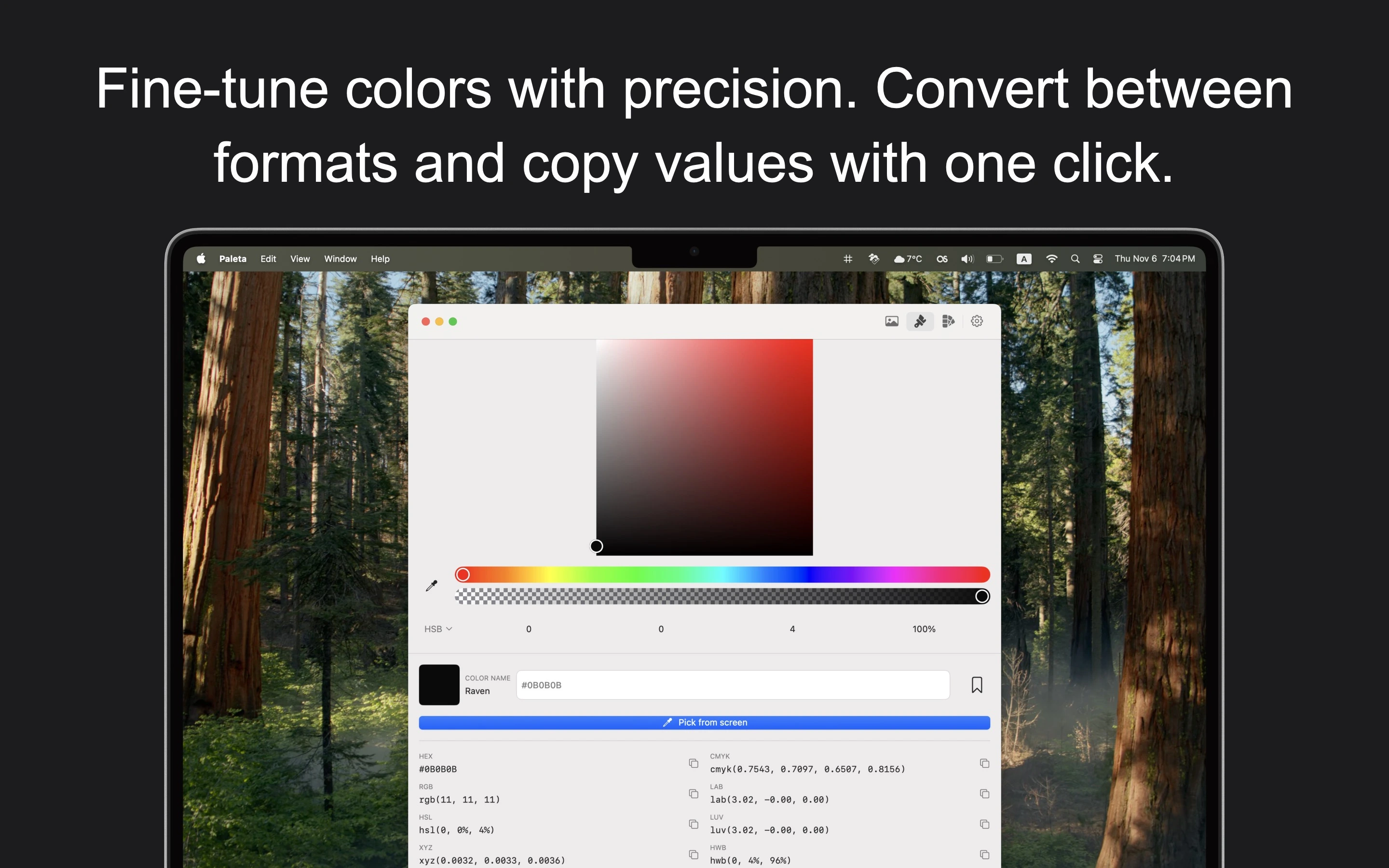
Advanced Color Editors
Fine-Tune with Precision
- ✓ RGB Editor with precise sliders
- ✓ HSL Editor for hue, saturation, lightness
- ✓ HSB Editor with visual sliders
- ✓ Real-time preview
- ✓ Alpha channel adjustment
Comprehensive Format Support
8+ Color Formats
- ✓ HEX, RGB, HSL, HSB/HSV
- ✓ CMYK for print
- ✓ XYZ, LAB, LUV color spaces
- ✓ HWB (Hue, Whiteness, Blackness)
- ✓ One-click copy functionality
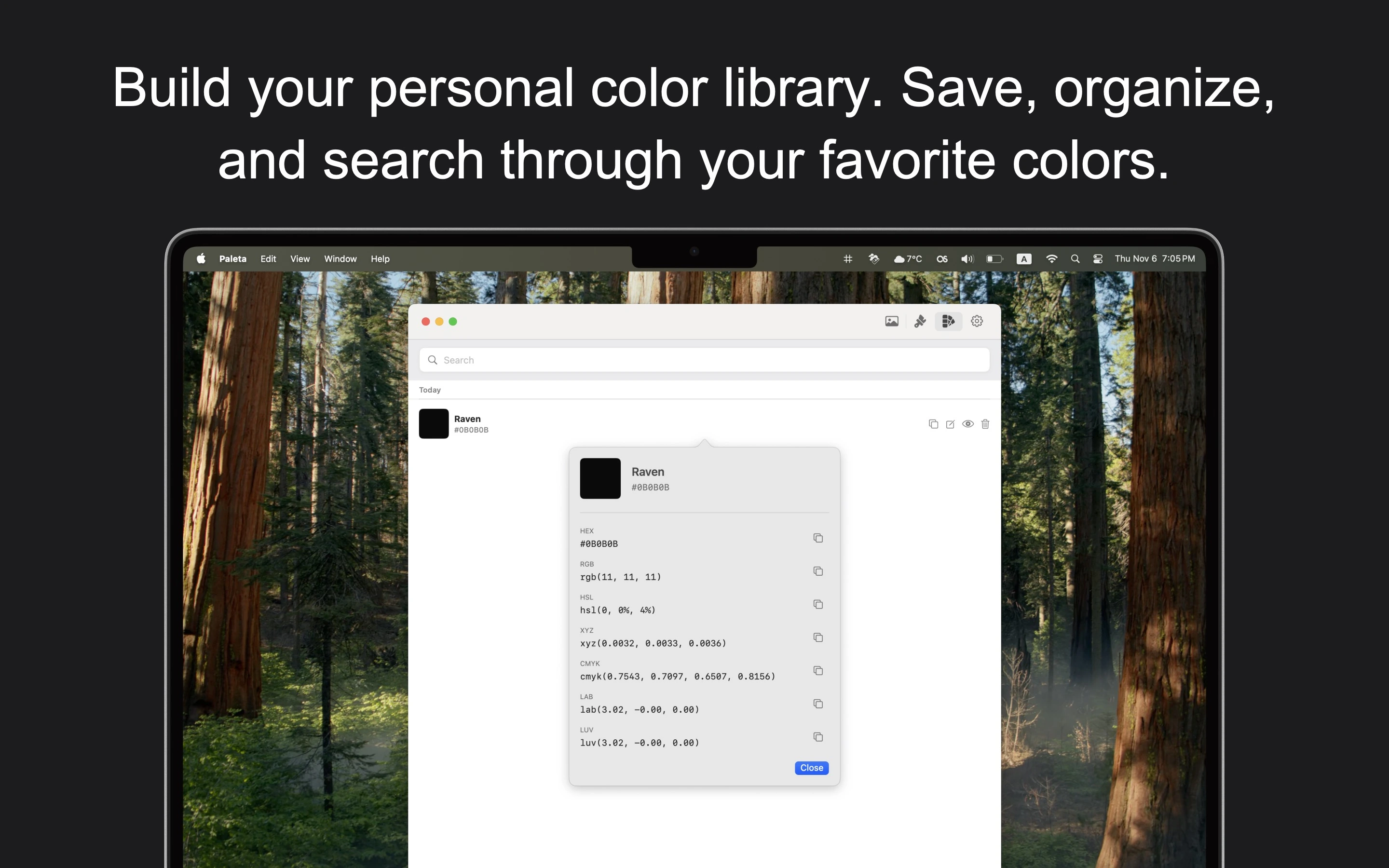
Color Library & Organization
Build Your Personal Library
- ✓ Save favorite colors
- ✓ Organize by date
- ✓ Search by name or color family
- ✓ Quick access to saved palettes
- ✓ Includes metadata and all format values
Export Your Palettes
Multiple Export Formats
- ✓ CSS HEX (custom properties)
- ✓ SCSS HEX and RGB formats
- ✓ CSV for spreadsheets
- ✓ JavaScript/JSON array format
- ✓ PNG visual palette images
Smart Color Features
Intelligent Tools
- ✓ Color history for recent selections
- ✓ Automatic color name detection
- ✓ Magnifier tool for pixel-perfect selection
- ✓ Dominant color extraction
- ✓ Color search by name or family
Designed for macOS
Native Experience
- ✓ Built with native SwiftUI
- ✓ Clean, modern interface
- ✓ Light and dark mode support
- ✓ Menu bar integration
- ✓ Follows Apple's Human Interface Guidelines
Privacy & Security
Your Data Stays Local
- ✓ Works entirely locally on your device
- ✓ All color data stored on your Mac
- ✓ Images processed locally, never sent to servers
- ✓ No data collection or transmission
- ✓ Complete privacy and control
Screenshots
×
![Screenshot]()
Perfect For
🎨
Designers
Extract palettes from inspiration images and build design systems
💻
Developers
Get accurate color values in any format for development
📷
Photographers
Analyze color composition and create harmonious schemes
🖼️
Artists
Build custom palettes for digital artwork
System Requirements
💻 macOS Version
- macOS 14.0 (Sonoma) or later
- Compatible with Apple Silicon (M1/M2/M3) and Intel Macs
🎨 Supported Formats
- PNG, JPEG, GIF, BMP, TIFF
- HEIC, WebP, and RAW formats
🔑 Permissions
- Screen recording access (for eyedropper tool)
- File access for image import