Apollo Stream
Native YouTube Music for macOS
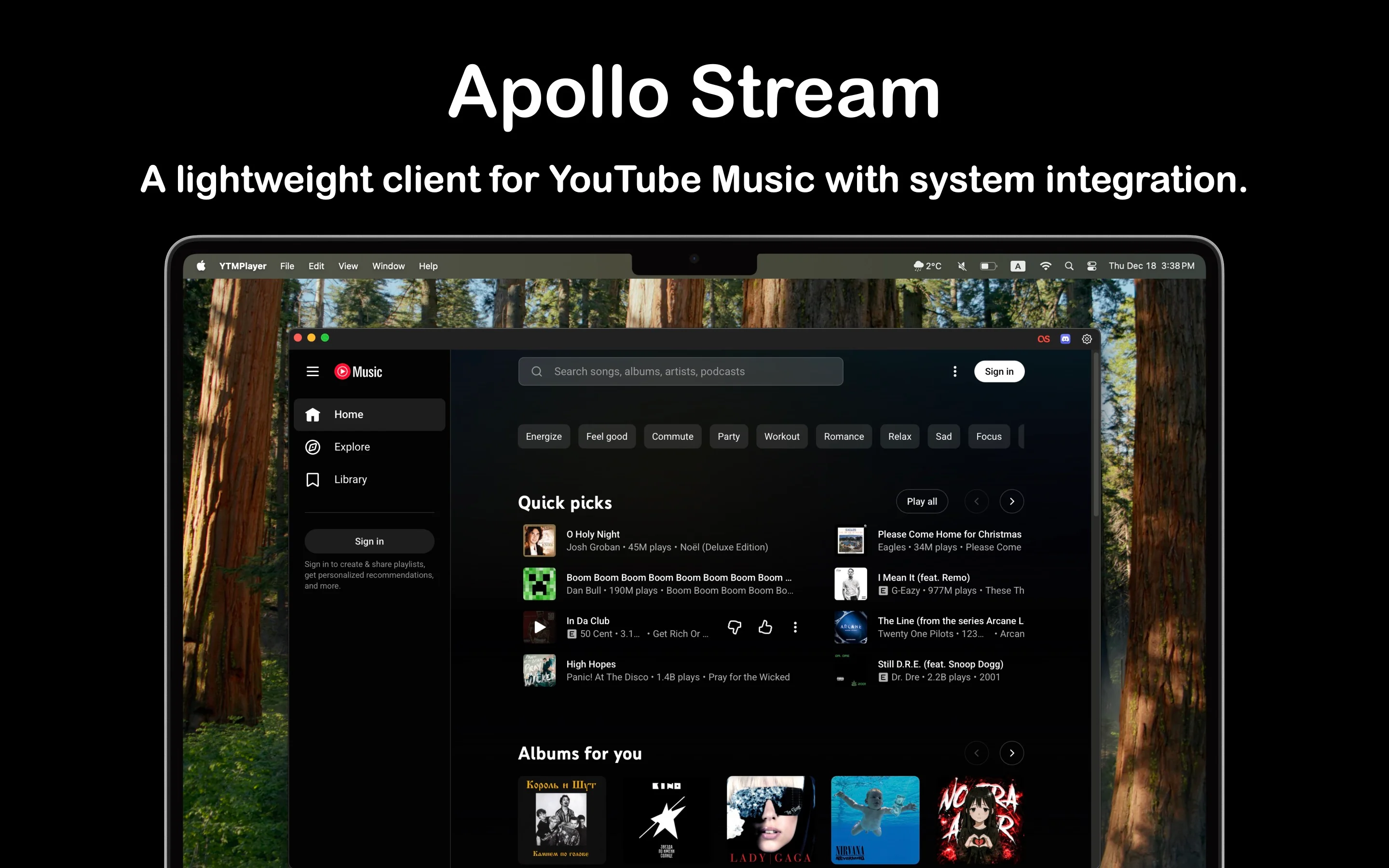
Experience YouTube Music like never before with a dedicated native macOS app. Built with SwiftUI for optimal performance, featuring Discord Rich Presence, Last.fm scrobbling, and seamless media key support.
Why Choose Apollo Stream?
Native macOS App
No Electron, Just Pure Performance
- ✓ Built with SwiftUI for optimal performance
- ✓ Lean WebKit wrapper - no heavy frameworks
- ✓ True native macOS integration
- ✓ Smooth animations and proper window management
- ✓ Full integration with macOS features
Frameless Design
Immersive Experience
- ✓ Clean, minimal window design
- ✓ Blends seamlessly with YouTube Music's UI
- ✓ Native macOS scrollbars
- ✓ Customizable light and dark themes
- ✓ Adapts to your system appearance
Discord Rich Presence
Share Your Music
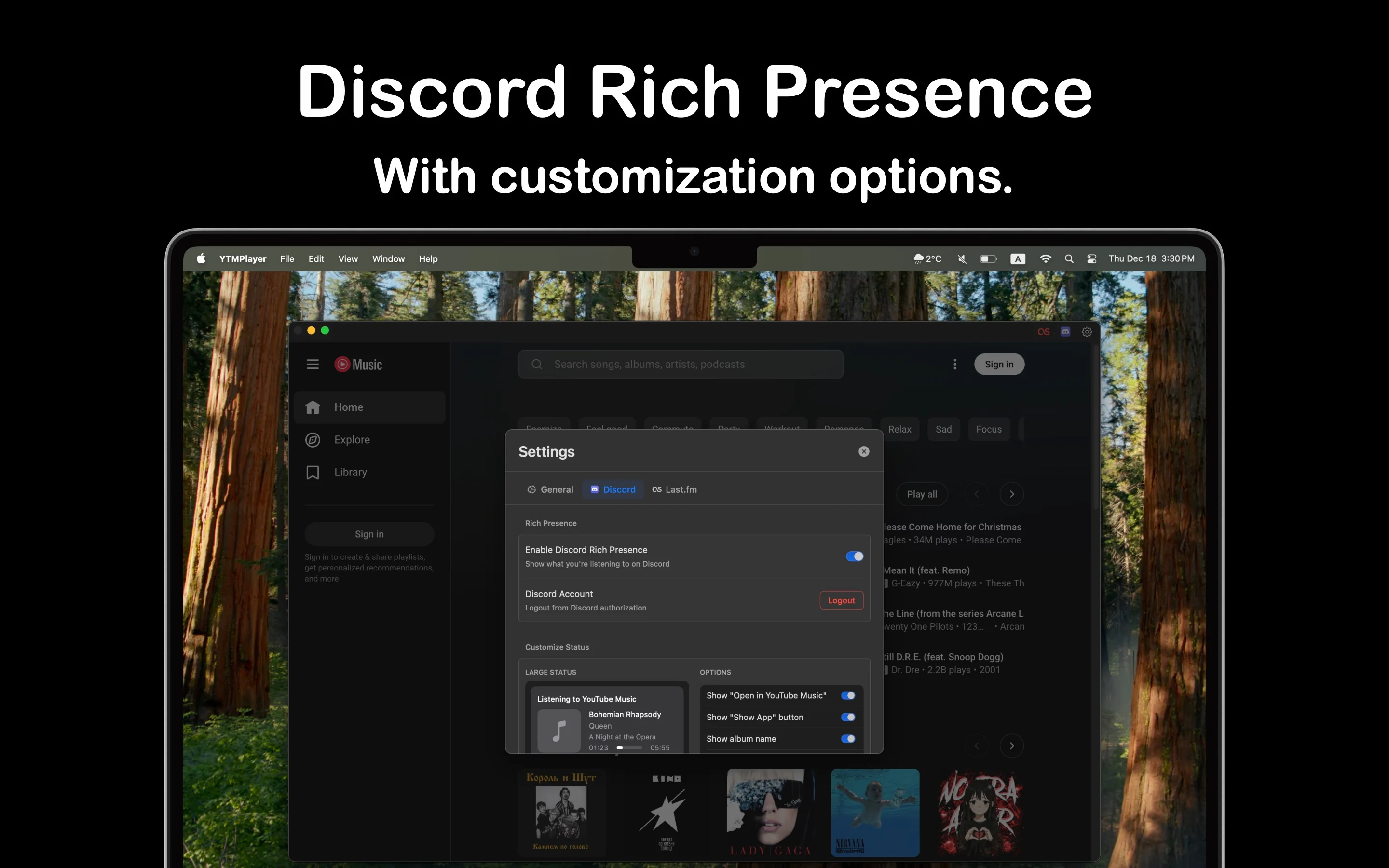
- ✓ Automatically displays current track in Discord
- ✓ Beautiful album artwork in your profile
- ✓ Shows artist, track, and playback status
- ✓ Customizable status display options
- ✓ Control button visibility settings
Last.fm Scrobbling
Track Your Listening
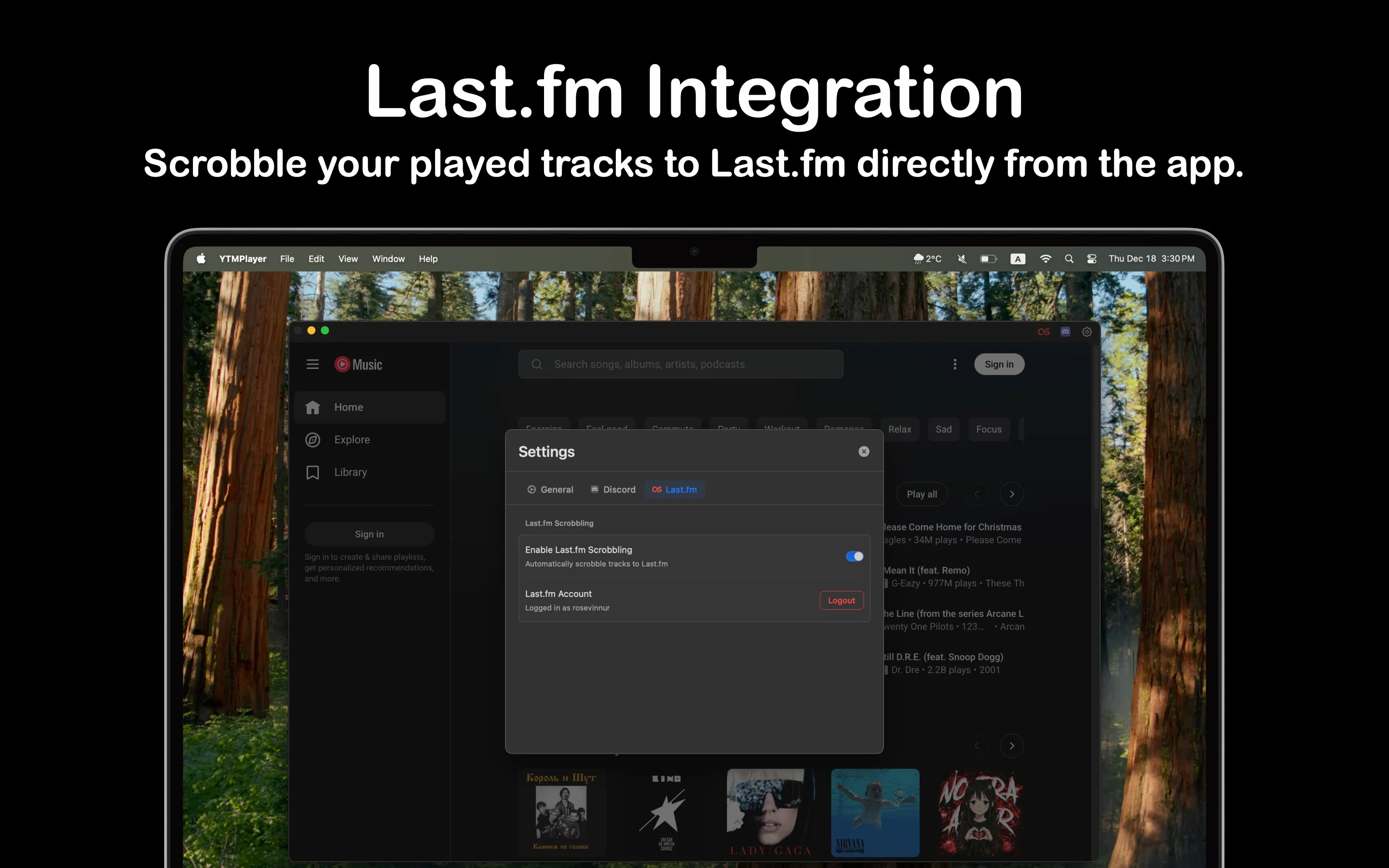
- ✓ Automatic scrobbling to Last.fm
- ✓ Every track automatically tracked
- ✓ Build comprehensive listening history
- ✓ Seamless integration with Last.fm
Media Key Support
Control Playback
- ✓ Play/pause, next, and previous keys
- ✓ Works with built-in and external keyboards
- ✓ Touch Bar support included
- ✓ Full keyboard control
Now Playing Integration
Control Center Access
- ✓ Track info in Control Center
- ✓ Beautiful album artwork display
- ✓ Current track always accessible
- ✓ Native macOS media controls
Multi-Language Support
Built for Everyone
- ✓ Supports 20+ languages
- ✓ English, Russian, German, French, Spanish
- ✓ Italian, Japanese, Korean, Chinese, and more
- ✓ Instant language switching from settings
Native YouTube Music Experience
Full Access
- ✓ Access your entire music library
- ✓ Playlists and recommendations
- ✓ Seamless music streaming
- ✓ All YouTube Music features available
Screenshots
×
![Screenshot]()
Get Started in 3 Simple Steps
1
Install
Download & Install Apollo Stream
Download the latest version for macOS. Simply drag the app to your Applications folder and launch it.
2
Configure
Set Up Integrations
Connect your Discord and Last.fm accounts in settings. Customize your preferences and appearance.
3
Enjoy
Start Listening
Play music on YouTube Music and enjoy native macOS experience with all integrations working seamlessly!
System Requirements
💻 macOS Version
- macOS 14.0 (Sonoma) or later
- Compatible with Apple Silicon (M1/M2/M3) and Intel Macs
📱 Required Services
- YouTube Music: Active subscription or free account
- Discord: Optional - for Rich Presence feature
- Last.fm: Optional - for scrobbling feature
🔑 Permissions
- Network access (for YouTube Music streaming)
- Media key access (for keyboard controls)
- Discord integration (optional, for Rich Presence)