
Transfigurator
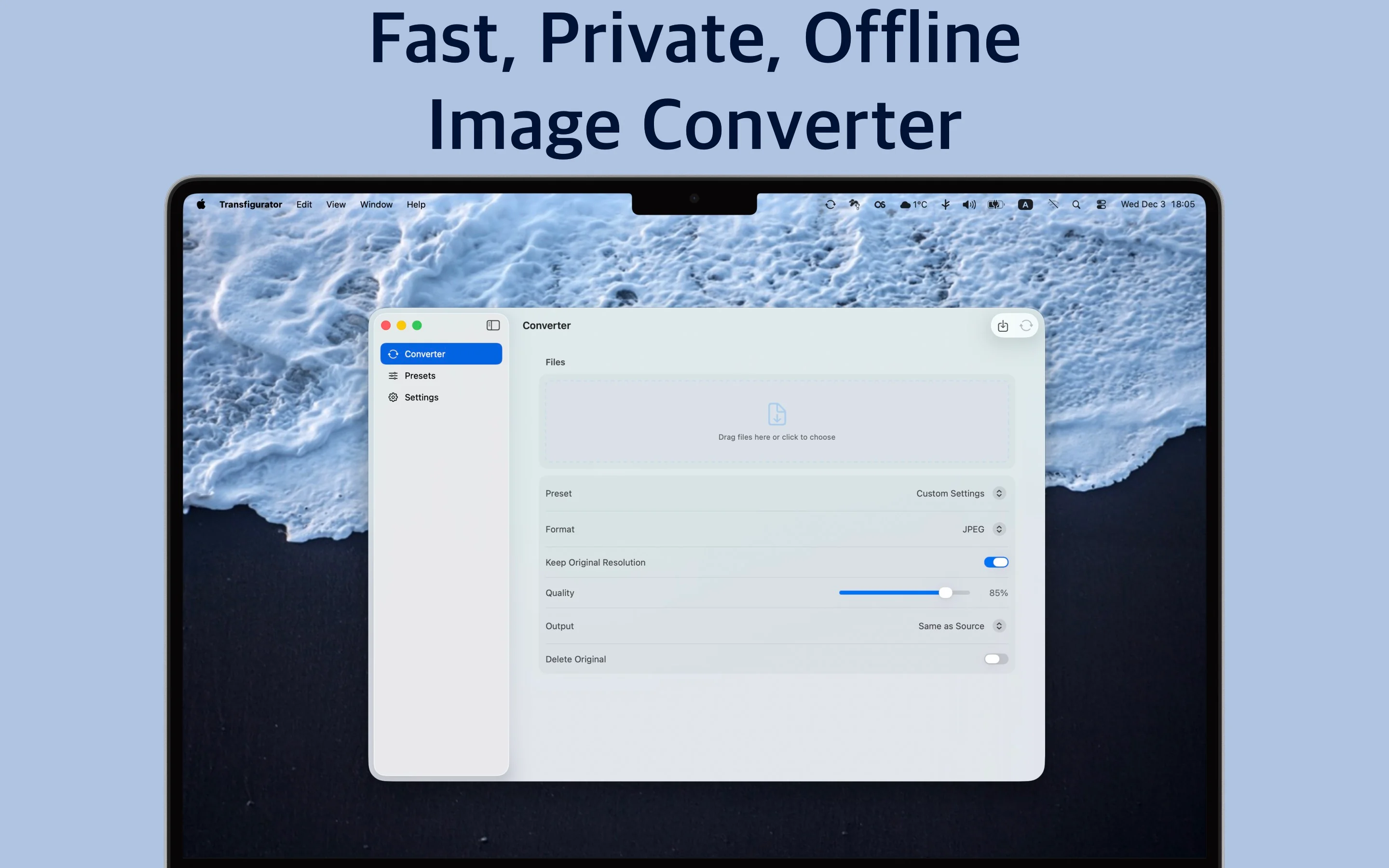
Fast, private, and powerful image converter for macOS that puts your privacy and security first. All image processing happens entirely on your Mac - your files never leave your device, ensuring complete confidentiality and data protection.
Key Features
Complete Privacy & Security
Your Images Stay on Your Device
- ✓ All processing happens locally on your Mac
- ✓ No internet connection required
- ✓ No cloud uploads or data transmission
- ✓ Your files stay on your device from start to finish
- ✓ Complete control over your sensitive images
Lightning-Fast Performance
Process Hundreds of Images in Seconds
- ✓ Built with cutting-edge image processing technology
- ✓ Blazing-fast conversion speeds
- ✓ Optimized for Apple Silicon and Intel Macs
- ✓ Process hundreds of images in seconds, not minutes
- ✓ Maximum performance on all Mac models
Comprehensive Format Support
Convert Between All Popular Formats
- ✓ JPEG - Perfect for photos and web use
- ✓ PNG - Lossless quality with transparency support
- ✓ WebP - Modern web format with excellent compression
- ✓ AVIF - Next-generation format with superior quality
- ✓ HEIC - Apple's efficient format for photos
- ✓ TIFF - Professional format for printing and archiving
Powerful Batch Processing
Process Multiple Images Simultaneously
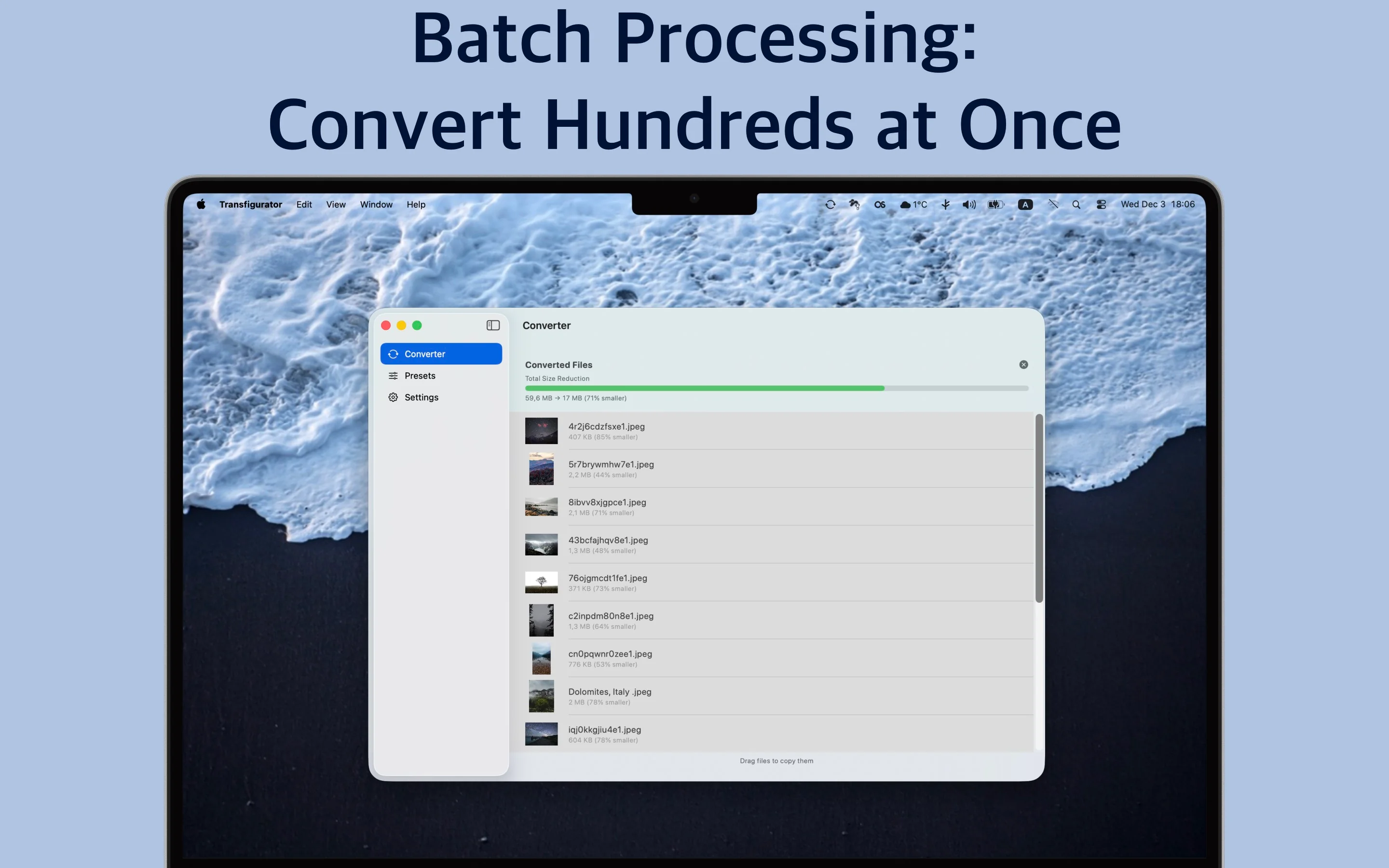
- ✓ Process dozens or hundreds of images at once
- ✓ Simple drag and drop interface
- ✓ Automatic handling of all files
- ✓ Real-time progress tracking
- ✓ View compression statistics
- ✓ See file sizes before and after conversion
Smart Presets
Save Time with Custom Presets
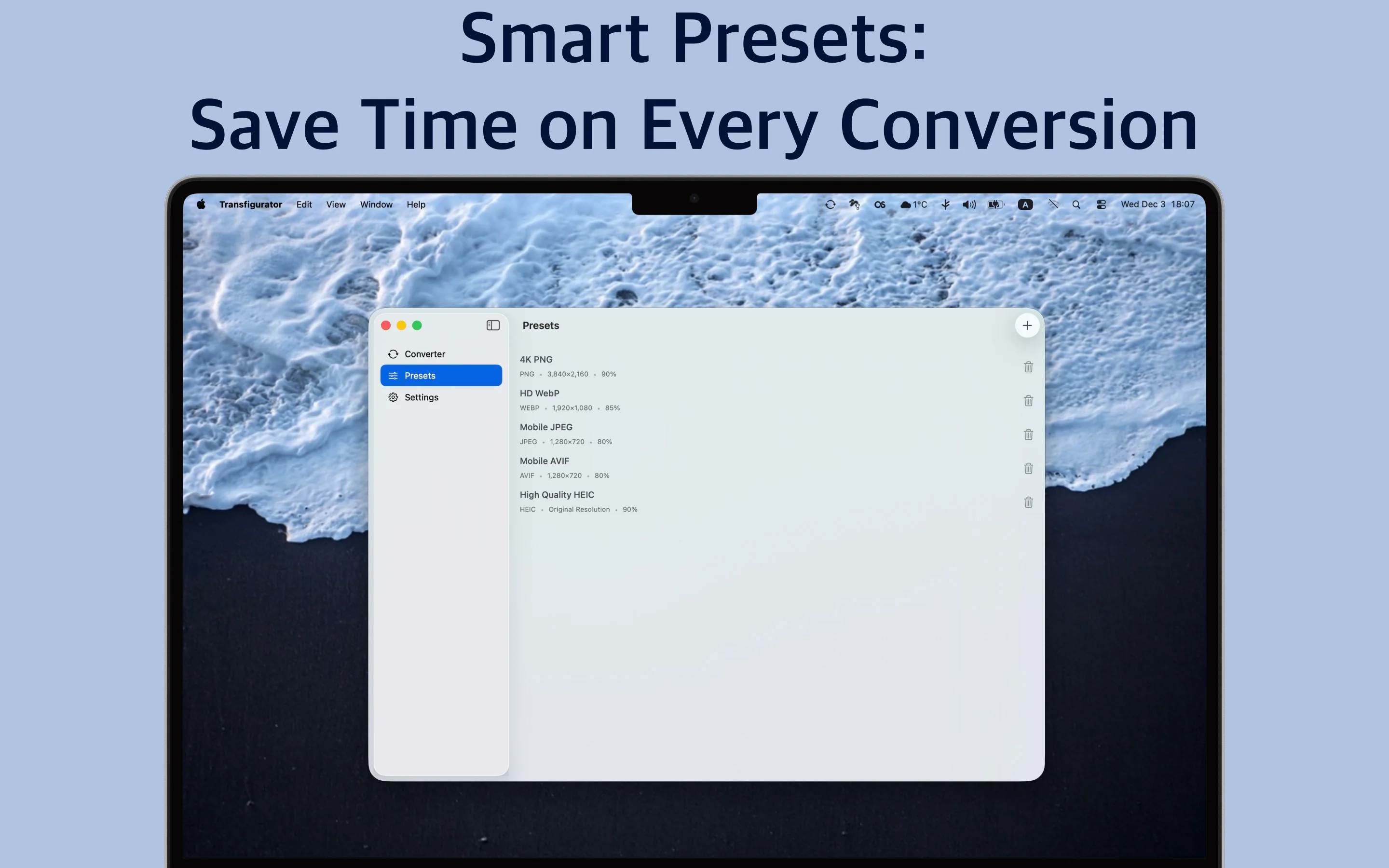
- ✓ Create custom presets for common tasks
- ✓ Save settings for web optimization
- ✓ Presets for mobile devices, printing, or archiving
- ✓ Select a preset with one click
- ✓ No need to configure settings every time
- ✓ Perfect for photographers, designers, and content creators
Flexible Resizing
Resize Images with Precision
- ✓ Resize to exact dimensions
- ✓ Maintain aspect ratio automatically
- ✓ Set maximum width and height
- ✓ Preserve original resolution option
- ✓ Perfect for websites, social media, presentations, or print
Convenient Output Options
Choose Where to Save Your Files
- ✓ Save to the same folder as originals
- ✓ Save to a custom location
- ✓ Use temporary storage for quick access
- ✓ Flexible file organization
Floating Drop Zone
Access Conversion from Anywhere
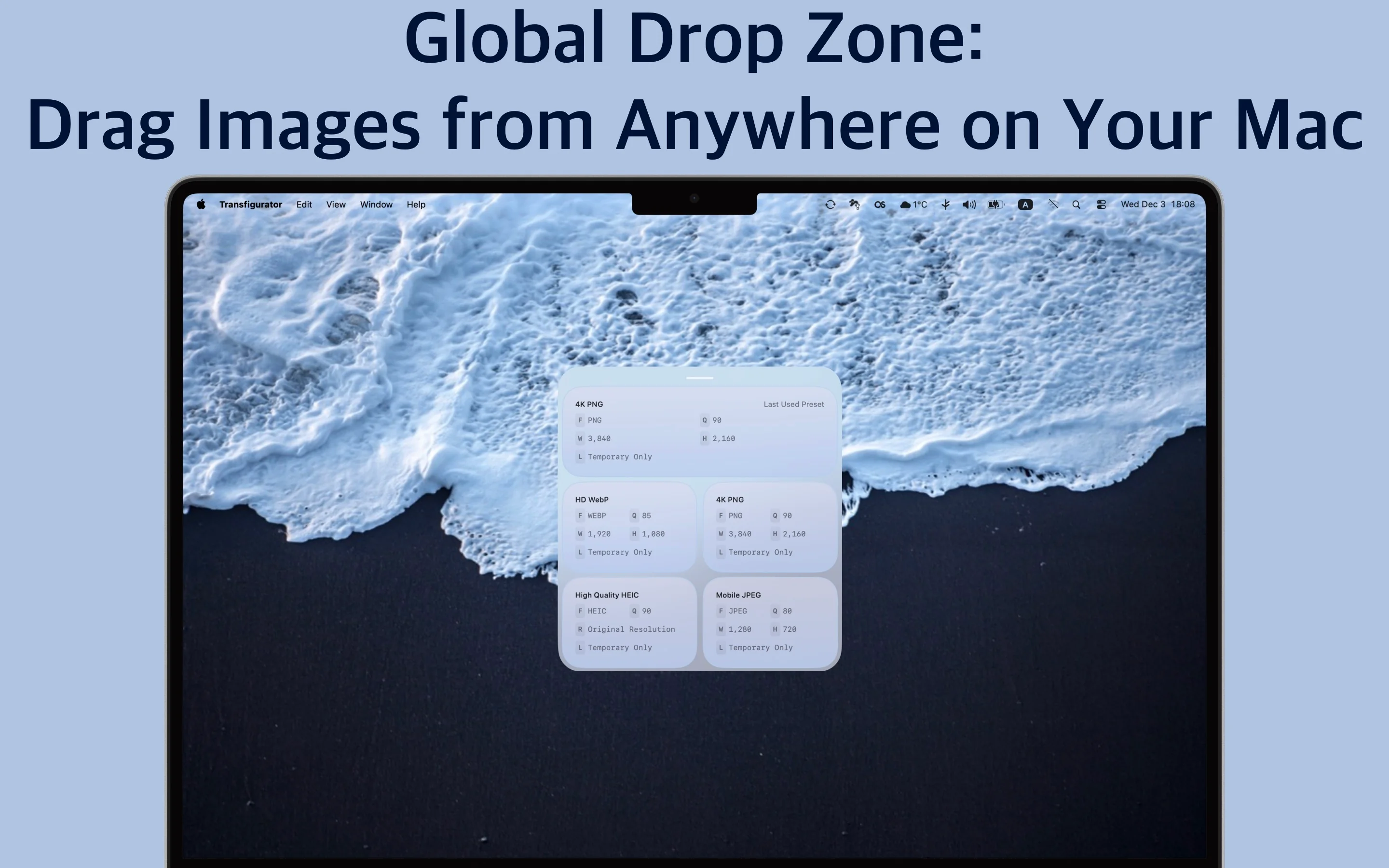
- ✓ Access conversion from anywhere on your Mac
- ✓ Select a preset directly in the drop zone
- ✓ Convert without opening the main window
- ✓ Works seamlessly over all your windows
- ✓ Quick and convenient workflow
One-Time Purchase
No Subscriptions, No Hidden Fees
- ✓ Buy once and convert unlimited images forever
- ✓ No subscriptions or recurring costs
- ✓ No hidden fees
- ✓ No limits or restrictions
- ✓ Just powerful image conversion whenever you need it
Screenshots
×
![Screenshot]()
Perfect For
📷
Photographers
Optimize photos for websites and convert between formats for different uses
🎨
Designers
Prepare images for social media, presentations, and print with precise control
💻
Web Developers
Convert and optimize images for web use with modern formats like WebP and AVIF
📱
Content Creators
Batch process images for social media and convert files for archival purposes
System Requirements
💻 macOS Version
- macOS 14.0 (Sonoma) or later
- Compatible with Apple Silicon (M1/M2/M3) and Intel Macs
🖼️ Supported Formats
- JPEG, PNG, WebP, AVIF
- HEIC, TIFF and more
🔑 Permissions
- File access for image import and export
- No special permissions required